
Building a professional website in 2026 is no longer just about writing code or dragging elements onto a canvas; it’s about creating a cohesive digital experience that converts visitors into customers.
Whether you are building for your own agency or a high-ticket client, following a structured workflow is the difference between a “good” site and a “professional” one. Here is the ultimate blueprint.

1. The Foundation: Branding First
Before you open Figma or touch a single line of code, you must define the identity. A website without branding is just a collection of pages.
- Visual Identity: This includes your logo, a primary and secondary color palette, and typography. Use the 60-30-10 rule: 60% dominant color, 30% secondary, and 10% accent color for CTAs.
- Brand Voice: Is your brand “Corporate & Secure” or “Creative & Disruptive”? This dictates your copy and interaction design.
- The Style Guide: Document these elements. Consistency across your site builds trust, and trust is the currency of the web.
2. The Blueprint: Designing in Figma
Figma has become the industry standard for a reason. It allows you to fail fast and iterate before the expensive development phase begins.
- Wireframing: Start with “low-fidelity” grey boxes. Focus on the User Journey—how does a user get from the landing page to the contact form?
- Prototyping: Use Figma’s prototyping tools to simulate clicks and transitions. This is where you test the User Experience (UX).
- High-Fidelity Design: Apply your branding. Focus on Visual Hierarchy—make sure your headlines, buttons, and key information stand out through size and weight.
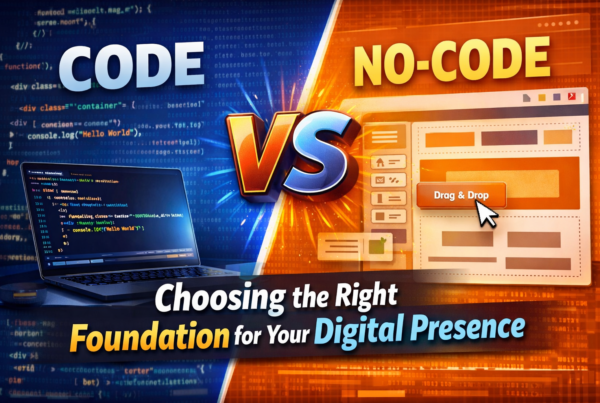
3. The Great Debate: No-Code vs. Custom Code
Choosing your tech stack is the most critical decision you’ll make. It affects your budget, launch date, and scalability.
No-Code (Webflow, Framer, Wix Studio)
- Pros: * Speed: Launch in a fraction of the time.
- Empowerment: Clients can edit text and images without calling you.
- Visual Building: “What you see is what you get” design.
- Cons: * Platform Lock-in: You are at the mercy of their hosting and pricing.
- Performance Walls: Can be slower if the platform adds “bloat” to the code.
Custom Code (React, Next.js, GSAP)
- Pros: * Unlimited Freedom: If you can imagine it, you can build it.
- High Performance: Clean code means blazing-fast load times (crucial for SEO).
- Scalability: Better for complex web apps and unique data structures.
- Cons: * Cost: Requires specialized developers.
- Maintenance: You are responsible for security updates and server management.
4. Content Management: Choosing Your CMS
Once the site is built, you need a way to manage content. The Content Management System (CMS) is the “backend” of your site.
| CMS Type | Best Examples | Ideal For |
| Traditional | WordPress | Blogs, News sites, and SEO-heavy projects. |
| Visual | Webflow CMS | Designers who want a database without the “tech” feel. |
| Headless | Sanity, Strapi | Omnichannel content (sending data to apps and web). |
| E-commerce | Shopify | Purely product-focused businesses. |
5. The Final Polish: Launch & Beyond
A professional website isn’t “finished” at launch. It requires:
- Technical SEO: Proper H1-H6 tags, meta descriptions, and image alt-text.
- Responsiveness: In 2026, over 65% of traffic is mobile. Test your design on every screen size.
- Analytics: Install Google Analytics or plausible.io to see where your traffic is coming from and where they are dropping off.
Need help choosing the right path?
If you’re stuck between a No-Code build for speed or a Custom build for performance, we can help you weigh the options based on your specific project goals.