
A new website should bring in more leads, not fewer. Yet many businesses see their organic traffic drop after a redesign because pages move, content disappears and redirects are forgotten. The good news is that almost all of that loss is preventable. This website redesign checklist shows you exactly what to do before, during and after a redesign so you keep, and ideally grow, your Google rankings.
In this guide
Key takeaways
- Benchmark traffic, rankings and conversions before you change anything.
- Crawl your current site and protect the pages that already rank and convert.
- Map every old URL to the most relevant new URL with a single 301 redirect.
- Keep titles, headings, internal links and schema in place, and build for speed.
- Monitor Google Search Console closely for at least eight weeks after launch.

Why redesigns lose SEO traffic
- Changed URLs without redirects turn ranking pages into 404 errors.
- Deleted or thinned content removes the text Google used to rank you.
- Lost internal links make important pages harder to find.
- Missing titles and meta descriptions reset to generic defaults.
- Slower pages from heavy designs and scripts hurt Core Web Vitals.
- A staging site left indexable, or a live site left set to noindex.
Phase 1: Before the redesign
1. Benchmark your current performance
Export at least 12 months of data from Google Analytics and Google Search Console: sessions, top landing pages, queries, rankings and conversions. Without a baseline, you cannot tell whether the new site is helping or hurting.
2. Crawl the existing site
Use a crawler such as Screaming Frog or Sitebulb to record every URL, title, meta description, H1, canonical tag and status code. This becomes the master list for your redirect map.
3. Identify your money pages
Find the pages that bring the most organic traffic, enquiries and sales. These must keep their content strength, and ideally their URLs.
4. Audit backlinks
Note which pages other websites link to. Every one of those URLs needs a redirect so the authority they pass is not lost.
Google’s own guide to site moves with URL changes is the best reference for planning this phase.
Phase 2: During the redesign
5. Plan the new sitemap around search intent
Group services logically and give every important topic its own page. A redesign is the perfect moment to add service pages you were missing, as long as you do not delete the ones that already rank.
6. Keep and improve content that ranks
Designers often want less text. Keep the paragraphs that answer the questions people search for, and use layout, headings and visuals to make them easier to read rather than removing them.
7. Build the redirect map
| Old URL | New URL | Type |
|---|---|---|
| /services/web-design | /product-development/website-development/ | 301 |
| /our-work | /portfolio/ | 301 |
| /blog/old-post | /blog/updated-post/ | 301 |
Redirect each old URL to the single most relevant new page. Avoid redirect chains and never send everything to the homepage.
8. Preserve on-page SEO
- One clear H1 per page that includes the main topic.
- Unique titles and meta descriptions for every important page.
- Internal links between related services, case studies and articles.
- Schema markup such as Organization, Service, FAQ and Breadcrumb.
- Descriptive alt text on images.
9. Build for speed
Compress images to WebP, lazy-load below-the-fold media, limit third-party scripts and test Core Web Vitals on mobile before launch.
10. Block the staging site
Password-protect or noindex the staging site so Google never indexes duplicate content.
Phase 3: Launch day
- Remove noindex from the live site and check robots.txt.
- Test a sample of old URLs to confirm each redirects correctly.
- Submit the new XML sitemap in Google Search Console and Bing Webmaster Tools.
- Confirm analytics, conversion tracking, forms and call tracking work.
- Check canonical tags point to the live domain.
Use permanent server-side redirects as described in Google’s redirects documentation, then submit your new XML sitemap in Google Search Console.
Phase 4: After launch
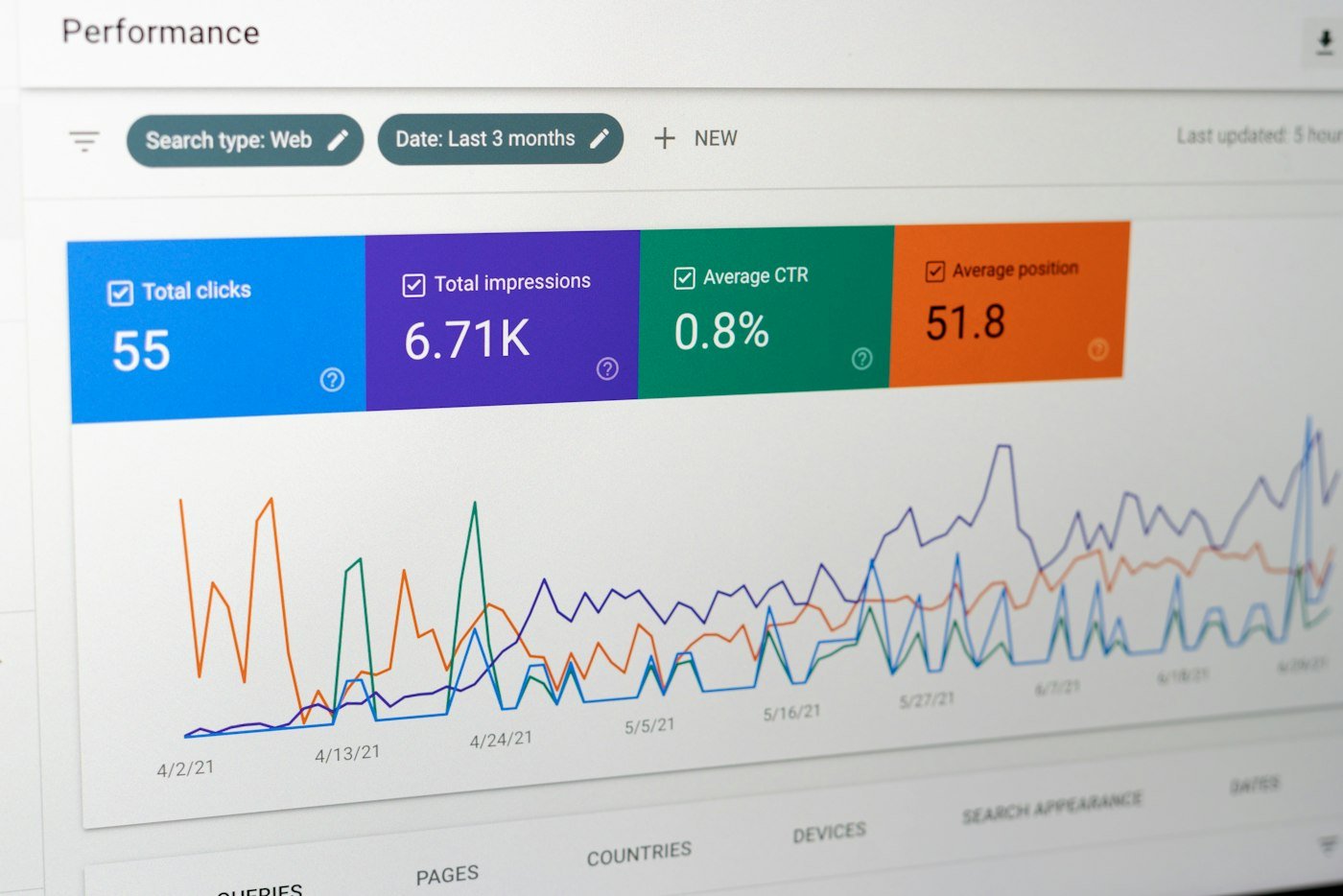
Check Search Console every few days for the first two months. Fix 404 errors, crawl issues and pages that drop out of the index. A small temporary dip while Google recrawls is normal; a sharp, lasting drop usually points to missing redirects or removed content.
Benchmark speed before and after launch with PageSpeed Insights and watch your Core Web Vitals, because a slower template can quietly cost rankings.
Common redesign scenarios
Moving to a new platform
Switching from Wix, Squarespace or an old custom build to WordPress, Webflow or Shopify almost always changes URL structures. Export every URL from the old platform, decide the new structure first, and build the redirect map before you migrate content. Check that images, PDFs and blog categories are redirected too, not just main pages.
Merging or removing pages
Consolidating thin or overlapping pages can improve rankings, because one strong page usually beats several weak ones. Combine the best content from each, redirect all old URLs to the new page, and update internal links so they point directly at it.
Changing your domain name
A domain change is the riskiest redesign scenario. Keep the old domain active, redirect every URL page to page, use Google Search Console’s change of address tool, and update your Google Business Profile, social profiles and important backlinks where you can.
Tools you will need
| Tool | Used for |
|---|---|
| Google Search Console | Rankings, indexing, crawl errors, sitemaps |
| Google Analytics 4 | Traffic and conversion benchmarks |
| Screaming Frog or Sitebulb | Crawling old and new sites, checking redirects |
| PageSpeed Insights | Core Web Vitals on mobile and desktop |
| A redirect plugin or server rules | Managing 301 redirects |
| A backlink tool | Finding pages other sites link to |
Use the redesign to grow, not just to protect
A redesign is also the best moment to fix weaknesses holding your rankings back. Add dedicated pages for services you only mentioned in passing, improve internal linking between related pages, add FAQ sections that answer real customer questions, and make sure every page has a clear call to action. Combined with faster load times and cleaner code, these changes often lift both traffic and conversions within a few months of launch.
Related guides
- Shopify vs WooCommerce in 2026: Which Should You Choose?
- How to Choose a Web Design Company in Dubai: A 2026 Buyer’s Guide
- How to Hire an Offshore Web Development Agency (Without the Usual Risks)
Website redesign checklist: FAQs
Not if it is planned properly. With redirects, preserved content and good technical SEO, many sites see rankings improve after a redesign.
Small fluctuations usually settle within a few weeks. If traffic has not recovered after two months, audit redirects and content changes.
Only when it clearly improves structure. Every change needs a 301 redirect from the old URL.
Need help with your redesign?
Purple Rocket redesigns websites for businesses in the US, UK and Europe, the GCC and India, with SEO built into every step. Explore our website development, SEO services and UI/UX design, or book a free discovery call.