Home/AI Automation/AI Chatbots

A chatbot that actually knows your business.

Custom AI chatbots trained on your website, documents and policies. They answer accurately, qualify leads, book meetings and hand over to your team when it matters.

United StatesEUGCCIndia

Purple speech bubbles on a translucent screen representing an AI chatbot

Beyond scripted chatbots

AI chatbots understand natural questions and reply in plain language, using only your approved content.

Old decision-tree bots break the moment a customer phrases something differently. A well-built AI assistant reads the question, finds the answer in your own content and replies in your tone. When it does not know, it says so and offers a person.

We build the knowledge base, connect your CRM and calendar, and set guardrails so the assistant stays accurate and on-brand. Then we test it on real questions before any customer sees it, and keep tuning it from real conversations after launch.

  • ChannelsWebsite, in-app, WhatsApp, Instagram, Messenger
  • Timeline2 to 5 weeks
  • IntegrationsHubSpot, Zoho, Salesforce, Calendar, Shopify
  • ApproachRetrieval from your own content (RAG)
  • You ownThe knowledge base, prompts, conversation data and accounts

You probably need an AI chatbot if

  • Your team answers the same questions about pricing, hours, delivery and policies every day
  • Website visitors leave after hours because nobody is there to reply
  • Leads arrive with half the details missing, so sales spends the first call collecting basics
  • You tried a scripted bot and customers gave up when it could not understand them
  • Customers write in more than one language and your team cannot cover them all
  • Your support inbox grows faster than you can hire, and response times are slipping

What your chatbot can do

01

Answer 24/7

Accurate answers on services, pricing, policies and availability, in the customer’s language, drawn only from content you have approved. Answers can link to their source so your team can check them.

Knowledge baseMultilingualSource links

02

Qualify leads

Collects contact details, asks your qualifying questions in a natural way, scores the lead and routes it to the right person in your CRM with the full conversation attached.

Lead captureScoringCRM sync

03

Book & support

Books calls into your calendar, checks order status and resolves routine requests such as rescheduling or returns, without making the customer wait for a reply.

Calendar bookingOrder lookupSelf-service

04

Hand off & learn

Escalates complex or sensitive chats to your team with a short summary, so nobody has to repeat themselves. Analytics show what people ask and where your content has gaps.

Human handoffChat summariesAnalytics

How we build chatbots

  1. DefineWe agree on use cases, tone of voice, topics the bot must never answer and when it hands over to a person.
  2. TrainWe build the knowledge base from your website, documents and policies, and flag anything outdated or contradictory.
  3. ConnectWe link your CRM, calendar and commerce tools so the bot can capture leads, book meetings and look up orders.
  4. TestWe check hundreds of real questions, including edge cases and off-topic attempts, and fix weak answers before launch.
  5. TuneMonthly conversation reviews to improve answers, fill content gaps and add new use cases as you grow.
Plan your chatbotTwo minutes to start. A strategist replies the same day.

Why teams choose us for chatbots

Accuracy first

Answers from your content

Guardrails keep the assistant on your approved material. It admits when it does not know instead of guessing, and offers a person.

Built in

Connected to your stack

Leads land in your CRM, bookings land in your calendar and conversations are logged, so the chatbot fits how your team already works.

Full ownership

Yours to keep

You own the knowledge base, prompts, conversation data and platform accounts. If you ever move on, everything goes with you.

AI chatbot FAQs

Will the chatbot make things up?

It answers only from your approved knowledge base, says when it does not know and offers a hand-off to your team. No AI is perfect on day one, which is why we test on real questions before launch and review conversations after it.

Can it run on WhatsApp too?

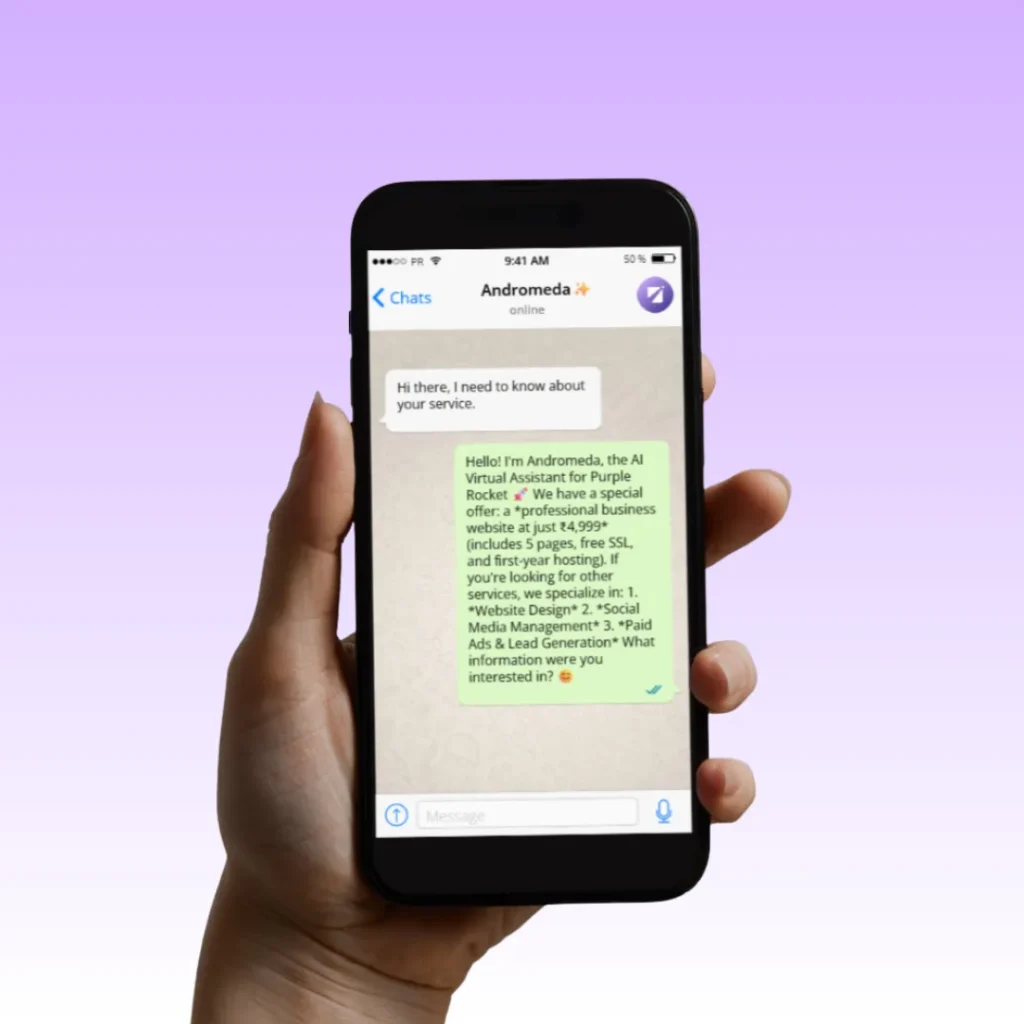
Yes. The same assistant can run on your website, in your app, and on WhatsApp, Instagram and Messenger. If most of your customers message you on WhatsApp, see our WhatsApp AI chatbot service.

What does it cost to run after launch?

Running costs come from AI model usage, which grows with the number of conversations, plus any chat platform or hosting fees. We estimate these during scoping so you know what to budget, and the build itself is a fixed quote.

How do you keep data safe?

Secure hosting, access controls and AI providers with business data terms, aligned with GDPR where needed. The model only receives what it needs to answer, and we can choose providers and processing regions to suit your compliance requirements.

What do you need from us?

Your existing content, such as website pages, FAQs, policies and product details, access to the tools we are connecting, and someone who can review answers during testing. We handle the rest.

How long does it take?

Most chatbots go live in two to five weeks. A website assistant answering from your content sits at the shorter end; multiple channels and deeper CRM or commerce integrations take longer.

What happens after launch?

We review real conversations, fix weak answers, update the knowledge base when your offer changes and add new use cases. You get regular updates from one point of contact.

Related services

Tell us what you’re building.

Two ways to get started. Ask us to call you at a time that suits you, or start your project online and get a clear proposal, timeline and fixed quote.

Request a call back

Leave your number and a good time. A strategist will call you, in your time zone, to talk it through.

Best time to call (your local time)

Include your country code. This opens WhatsApp with your details filled in, just tap send.

WhatsApp should now be open with your request. Tap send and we’ll call you back at your chosen time.

Start a project

From first message to a fixed quote.

Prefer to write it down? Share your brief online and skip the back-and-forth.

  1. Tell us about the projectAbout two minutes: who you are, what you need, your budget range and timing.
  2. Get your workspace straight awayYour own Purple Rocket login to follow your brief, messages, files and proposal.
  3. Hear back the same dayA strategist replies with next steps, then a clear proposal, timeline and fixed quote.
Start your project →

Free and no obligation.